Why You Rank on Maps at Your Office but Not Across Town
You searched your service from the shop and there you were, first in the map pack. Two weeks later a customer in Weston told you they could not find…
Read article →There is a version of this problem where you are ranked low, and a version where you are not in the running at all. They feel identical from the outside and they have completely different causes.
 Pembroke Pines SEO Company
6 min read
Pembroke Pines SEO Company
6 min read
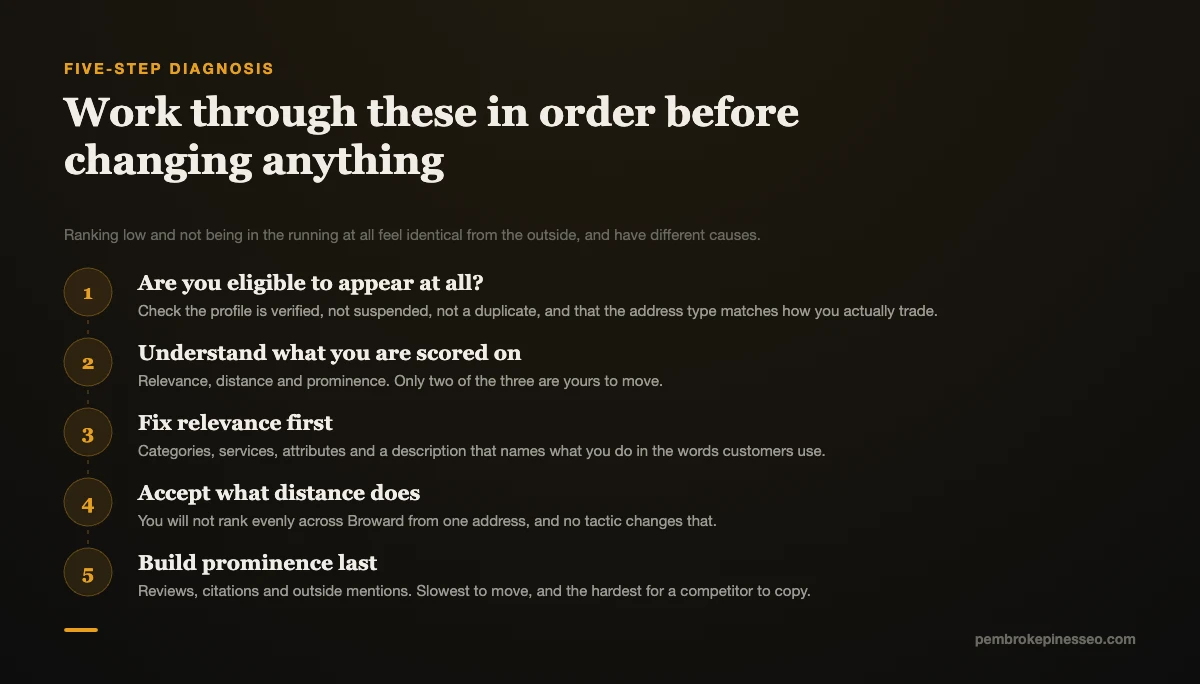
Your business is not showing up on Google Maps for one of two reasons: something has made you ineligible to appear, or you are eligible but scoring lower than three competitors on relevance, distance, or prominence. Check eligibility first, because no amount of optimization fixes a suspended or unverified profile.
Here is the diagnostic sequence, in the order a Broward County business should actually run it.
These four issues remove you from results entirely rather than lowering your position. Any one of them makes everything below it irrelevant.
Unverified profile. Verification is the gate. Until it clears, your listing either does not appear or appears with severely limited information. Check your Google Business Profile dashboard for a verification prompt.
Suspended profile. Suspensions show as a notification in the dashboard. Common triggers include address issues, a service area that does not match reality, keyword stuffing in the business name, and category or content violations.
Duplicate listings. Two listings for the same business split your signals and can suppress both. This happens most often when a business moves, rebrands, or when an old listing was auto-generated years ago and never claimed.
Guideline violations. The most common one worth naming: adding keywords to your business name. "Smith Plumbing Pembroke Pines Emergency 24/7" is explicitly prohibited by Google's Business Profile guidelines and can result in suspension. It works briefly, which is why competitors keep doing it, and it is reportable.
If none of these apply, you are eligible and the problem is scoring.
Google states its local ranking factors publicly: relevance, distance, and prominence. Every "near me" search scores nearby businesses on all three and shows the top three for that query, from that spot, at that moment.
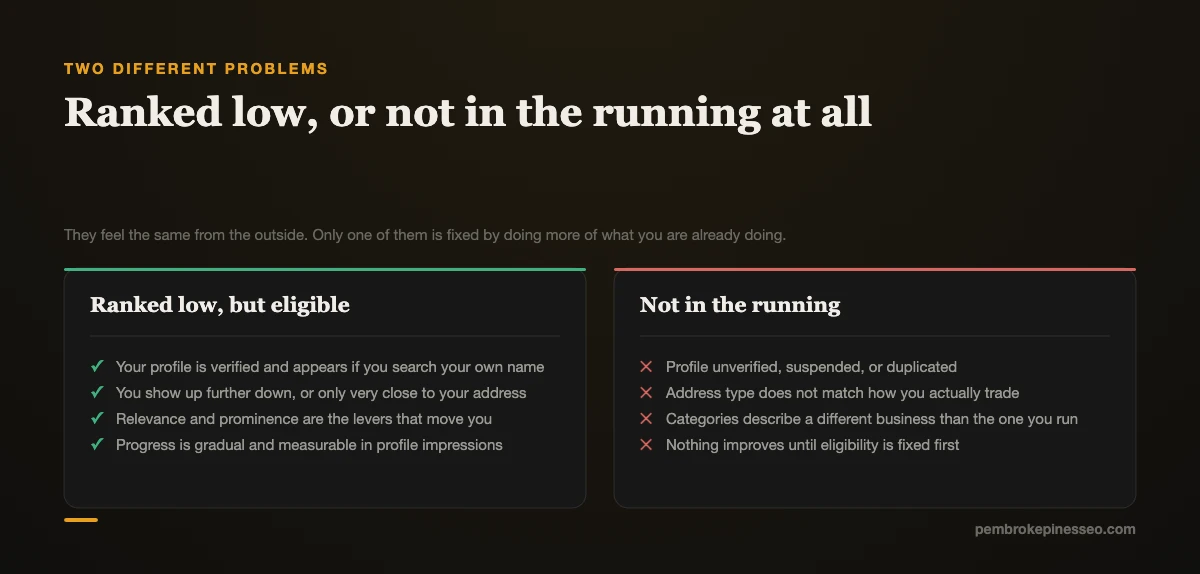
Relevance is how well your profile matches what was searched. Distance is how far you are from the searcher. Prominence is how well known and well corroborated your business is.
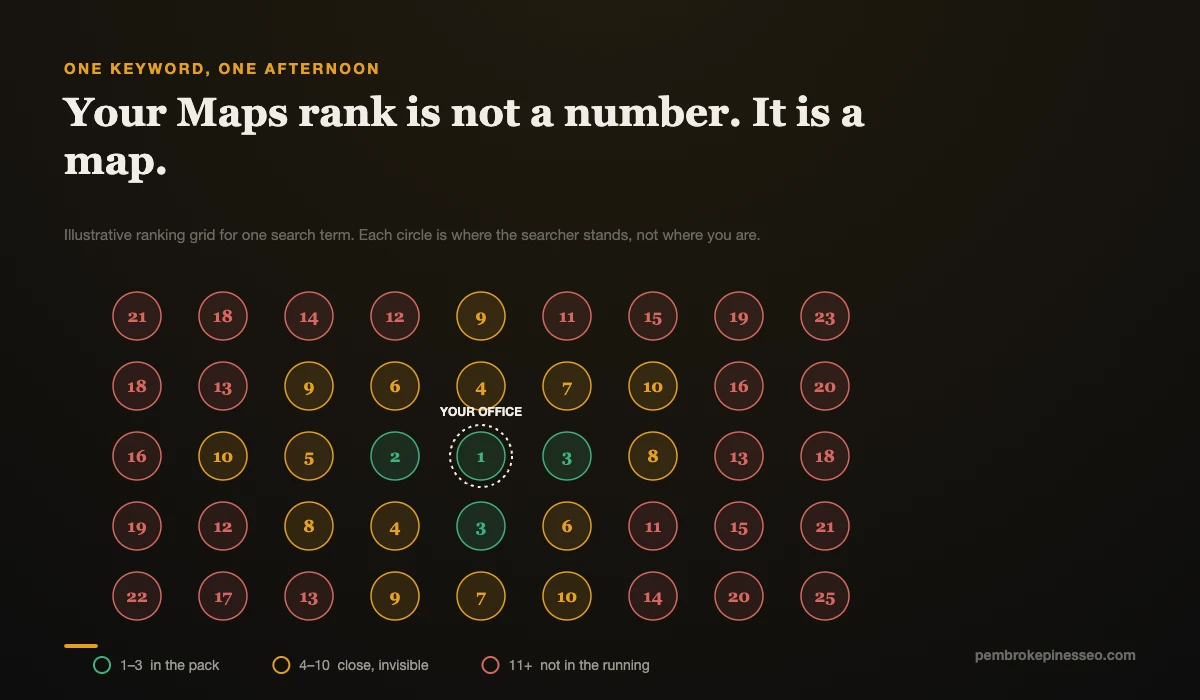
There is no single Maps ranking. There is a ranking per query per location, which is why you appear at your office and vanish across town. That is normal behavior, not a fault.
Relevance problems are usually solved in one sitting and produce the quickest visible change.
Primary category is the highest-impact field on your entire profile. A dental practice categorized as "Health" instead of "Dentist" loses to a competitor with the exact category every time. Look at the three businesses currently ranking for your target search and check what they use. Their category is public.
Then complete the rest. Secondary categories for genuinely different services, not aspirational ones. Every service listed individually with a real description rather than a bare name. Business description that states what you do and where. Attributes, hours including holiday hours, and 10 or more current photos.
An incomplete profile gives Google nothing to score on relevance, and Google will not infer what you did not state.
Proximity is the factor you have the least control over, and in Broward County it dominates more than in most markets.
Pembroke Pines, Miramar, Cooper City, Davie, and Hollywood sit minutes apart. A searcher two towns over may be geometrically closer to eight competitors than to you. No profile optimization overcomes that.
What you can do is make sure the setting matches reality. If you travel to customers, configure your profile as a service-area business and list the areas you genuinely serve. If you have a staffed location customers visit, keep the address visible, because hiding it when you should not costs you the proximity advantage you actually have.
One caution: inflating your service radius to the widest possible area does not extend your reach and has become a suspension trigger. List where you actually work.
Prominence is the slow one, and it is where most businesses stall because it cannot be finished in an afternoon.
Reviews. Volume gets you past the consideration threshold and recency proves you are operating. If the three businesses ranking have 90, 140, and 210 reviews and you have 18, that gap is your ranking problem stated numerically. BrightLocal's Local Consumer Review Survey 2026 found 47% of consumers will not consider a business with fewer than 20 reviews, and 68% now require a minimum of 4 stars, up from 55% the year before.
Aim for a steady two or three per month rather than a burst. Respond to all of them.
Citation consistency. Your name, address, and phone must be identical everywhere. "Ste 217" one place and "Suite 217" another is a mismatch. Every inconsistency reduces confidence.
Website support. Prominence draws substantially from your website: its content, its links, its clarity about what you do and where. A polished profile with no site behind it is competing at a disadvantage. The local website authority hub covers what that looks like.
The AI Visibility Snapshot™ scores you across Google, Maps, your website, your competitors and AI tools, then gives you a prioritised 90-day roadmap.
Get My Snapshot →Do this before you pay anyone to diagnose it for you.
Whichever gap is largest is your actual problem. Most Broward businesses find it is the category or the review count, and both are fixable.
Even a top-3 Map Pack position now covers less ground than it used to. A Whitespark study found AI Overviews appear on 68% of local business searches while the local pack appears on only 39% of the same queries.
For question-shaped searches the gap is wider still, and no map appears at all. Someone asking what a repair typically costs in South Florida, or how long a permit takes in Pembroke Pines, is getting an answer without ever seeing a map.
So the honest version of "why is my business not showing up" now has two halves. The Map Pack half is above. The other half is whether AI tools can find and verify you, which is scored separately and covered on the AI search visibility hub.
Eligibility, then category, then reviews. In that order, without exception. Verification and suspensions before anything else, primary category next because it takes 10 minutes and changes the most, then the review habit because it is the slowest to compound and the earliest start wins.
If you would rather see exactly which of the three factors is costing you, mapped against two or three visible Broward competitors and including where AI tools place you, that is what the AI Visibility Snapshot covers.
Get My AI Visibility Snapshot → Find out where you’re invisible in Pembroke Pines before your competitors do.
We help businesses across Pembroke Pines, Miramar, Hollywood, Davie, Weston, Cooper City, Hallandale Beach, and greater Broward County improve their visibility in search and AI-powered results.
We help established Pembroke Pines and Broward County businesses become easier to find, understand, trust and recommend across Google, Google Maps and AI tools like ChatGPT, Gemini and Perplexity.
You searched your service from the shop and there you were, first in the map pack. Two weeks later a customer in Weston told you they could not find…
Read article →
You have been told reviews are critical for SEO. You have also been told reviews do nothing for SEO. Both statements get repeated confidently, often…
Read article →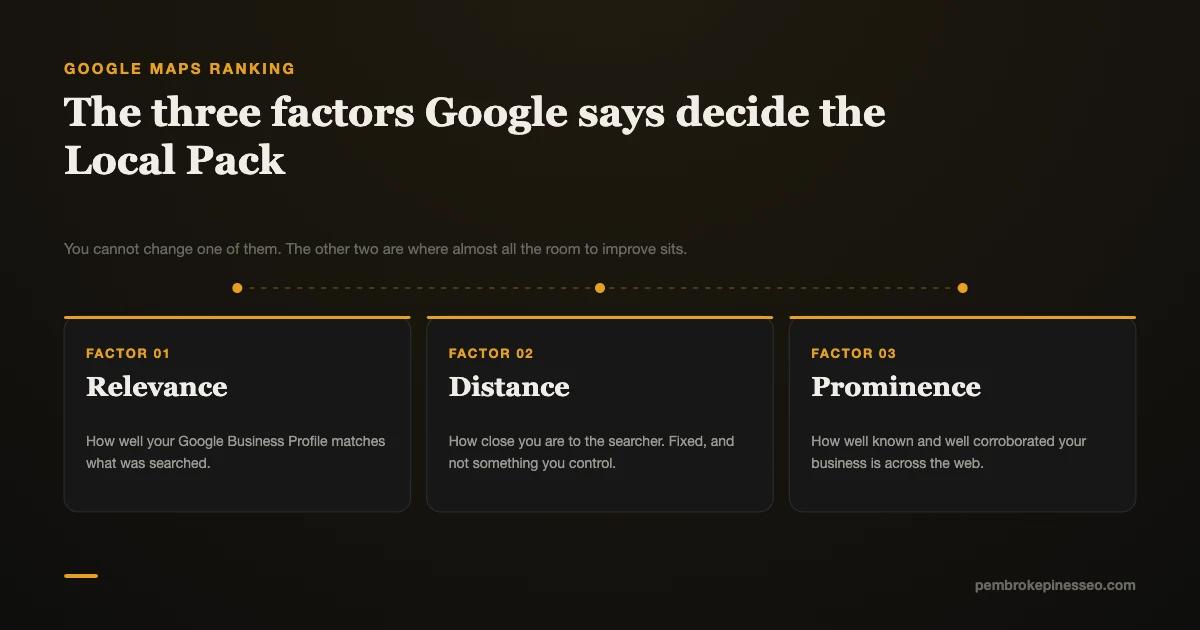
You have been in business for 18 years. Your reviews are better than the company three miles east. And when someone standing in a Pembroke Pines…
Read article →Get a clear, specific picture of your visibility across Google, Maps and AI tools — and the exact roadmap to fix it. Built for Pembroke Pines & Broward County businesses that already do great work.
Get My AI Visibility Snapshot →